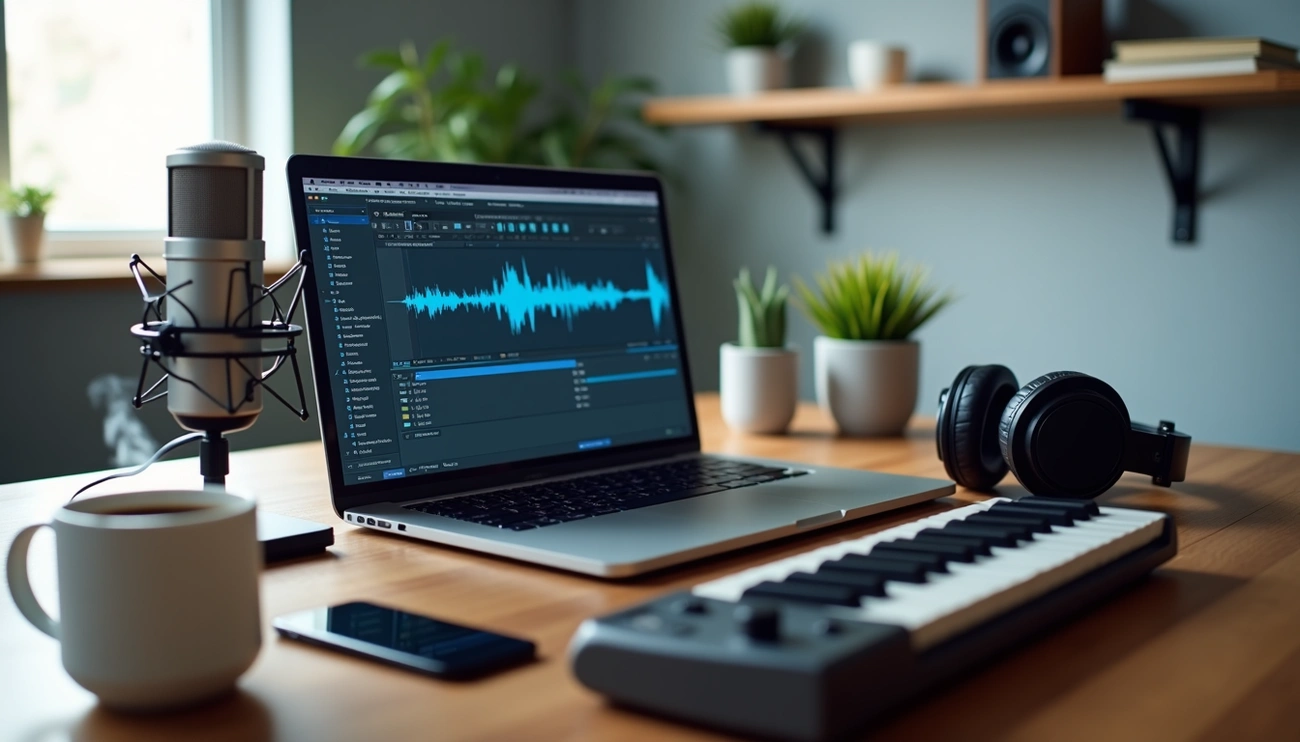
Audacity is a powerful free audio editing software, but the right audacity plugins can transform it from simple to professional-grade. Whether you’re editing podcasts or producing music, plugins extend Audacity’s capabilities with features like autotune, noise reduction, advanced EQ and mastering tools.
The challenge? Audacity supports multiple plugin formats such as VST, VST3, LV2, LADSPA, Audio Units and Nyquist FX. This gives you access to thousands of options. So finding the best audacity plugins to meet your specific needs can feel overwhelming.
We’ve tested dozens of free audacity plugins and premium options to bring you this curated list. From autotune capabilities with audacity plugins autotune tools to complete mastering suites, we’ll show you the top 11 plugins and how to install audacity plugins to boost your workflow.
What Are Audacity VST Plugins and Why Do You Need Them
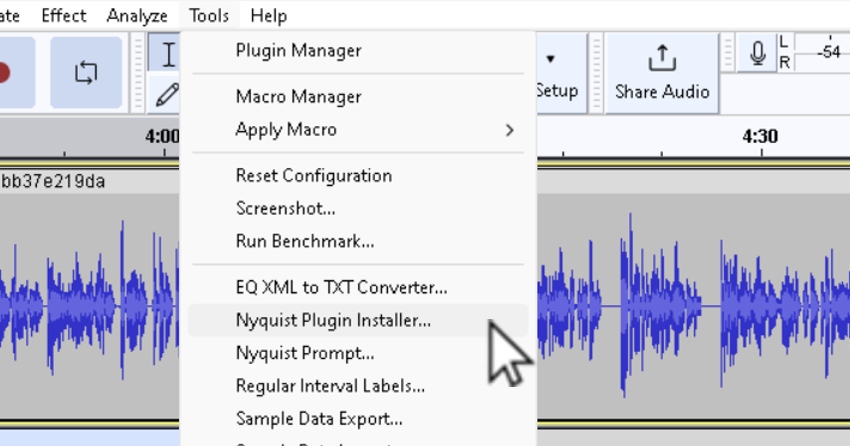
Image Source: Music & Audio – Tuts+
Plugins function as modular extensions that integrate into Audacity. They add specialized audio processing capabilities beyond Audacity’s built-in toolset. VST (Virtual Studio Technology) represents the most popular format and uses digital signal processing to simulate traditional recording studio hardware in software. These tools allow you to access professional-grade effects without expensive physical equipment.
Audacity supports multiple plugin formats across different operating systems. VST effects work on all platforms. VST3 effects gained support starting with Audacity 3.2. The software also handles Nyquist plugins (designed for Audacity) and LV2 plugins (an extensible successor to LADSPA). Audio Unit plugins work exclusively on Mac OS X. Each format serves specific purposes, from simple effects to complex multi-parameter processors.
Why add plugins? Plugins outperform generic tools for particular audio challenges because of their specialized nature. A dedicated de-essing plugin removes harsh sibilance better than simple noise reduction. Plugins enable you to customize your workflow according to your production style. You get specific reverb characteristics or compression settings unavailable in standard Audacity.
Plugins transform Audacity into a professional sound studio capable of handling advanced tasks like noise reduction and precise EQ adjustments. Audio engineers and content creators rely on these extensions to achieve studio-quality results without investing in dedicated hardware.
Voice Enhance by CrumplePop: Best Overall Plugin
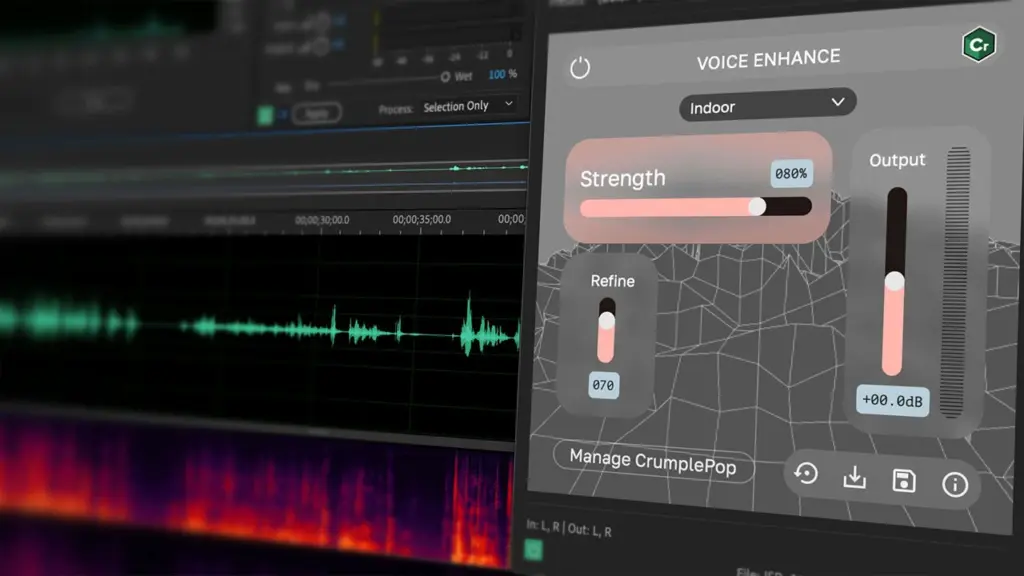
Image Source: Boris FX
Voice Enhance from CrumplePop represents a breakthrough in AI-powered vocal cleanup for Audacity users. This plugin targets the most common audio problem: poor voice quality from laptop mics, Zoom recordings, background noise and echo. Cloud-based tools upload your files to process them. Voice Enhance runs on your local machine entirely and protects your privacy while delivering faster results.
The workflow couldn’t be simpler. Drag the plugin onto your audio clip in Audacity and adjust the Strength slider to control the improvement intensity. You’re done. The AI processes everything in real-time and makes it practical for creators who need quick results. Voice Enhance works as a VST3, AAX and AU plugin on Mac and PC.
CrumplePop offers multiple pricing tiers to fit different budgets. The Starter plan has free trials of Voice Enhance with RustleRemover and PopRemover at no cost. The Creator plan costs $15 monthly ($180 annually) for single-host support. The Pro plan runs $23 monthly ($276 annually) with multi-host compatibility. A perpetual license is available for $599.
Voice Enhance excels at transforming subpar recordings into professional-quality audio. You don’t need audio engineering expertise. Due to its simplicity and effectiveness, it’s my top recommendation for Audacity users seeking a vocal improvement solution.
iZotope Ozone Elements: Mastering Plugin Suite
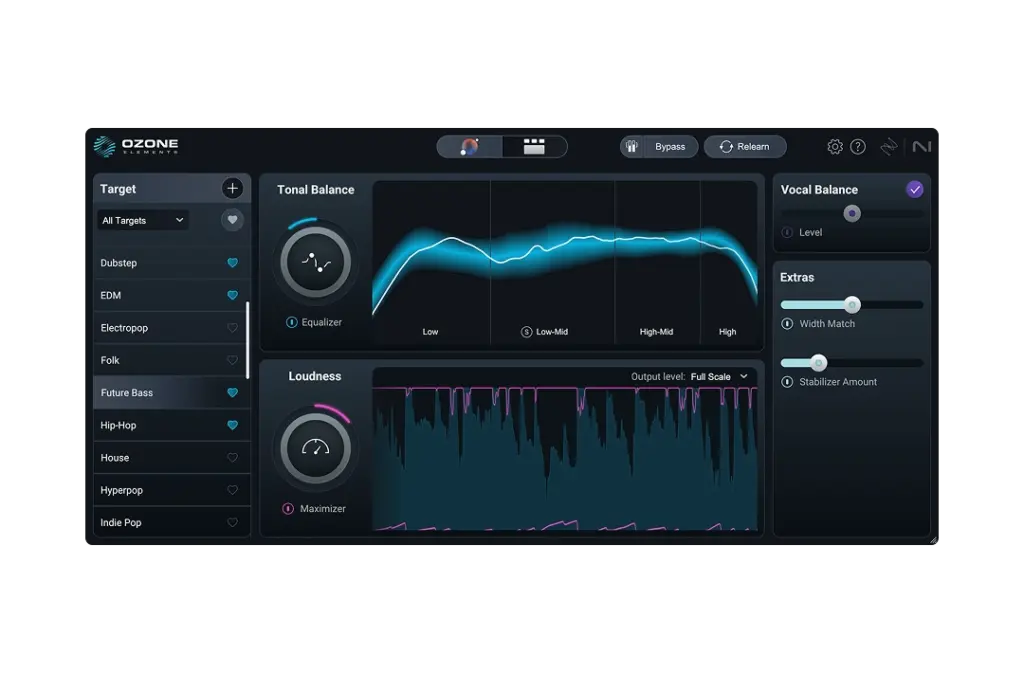
Image Source: iZotope
iZotope Ozone Elements brings professional mastering capabilities to Audacity at $29, down from the original $55 price. This entry-level mastering suite delivers the core technology from iZotope’s flagship product in an available package designed for creators who need radio and streaming-ready results without extensive audio engineering knowledge.
The Master Assistant forms the centerpiece of Ozone Elements and offers two distinct workflows. Auto-Master provides a set-and-forget approach that analyzes your audio and applies processing on its own. Custom mode, but, lets you guide the assistant by selecting genre targets and loudness priorities before analysis. The plugin has expanded genre targets that match your track’s tone, width, and dynamics to chart-topping hits in each category.
The Stabilizer is an adaptive mastering EQ that shapes your mix and carves away harshness. Width Match measures mid and side signal power across four bands to match your audio width to professional targets. The new Assistive Vocal Balance feature adjusts lead vocal levels on its own.
Ozone Elements supports VST3, AU, and AAX formats, making it compatible with Audacity across platforms. The plugin provides both full-scale and streaming output targets and ensures your audio translates well whatever listening environment. True-peak protection optimizes tracks for streaming services.
Valhalla Super Massive: Best Reverb and Delay
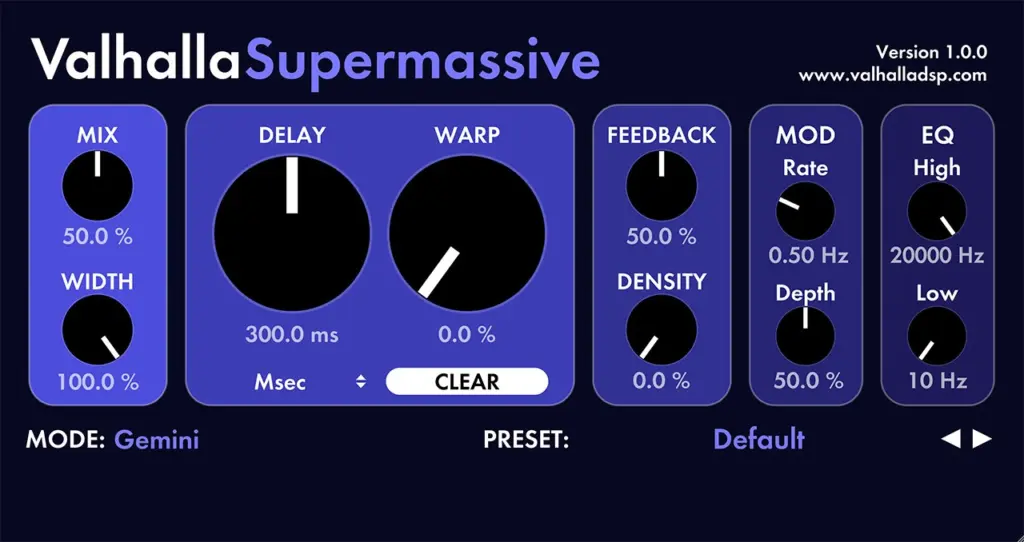
Image Source: Valhalla DSP
Valhalla Supermassive stands out as the best free reverb and delay option for Audacity users. Released in mid-2020, the plugin was offered at no cost as a creative outlet during the pandemic. The price remains $0.00, which seems almost absurd given its capabilities.
Supermassive operates through feedback delay networks where each delay can extend up to 2 seconds long. The current version 5.0.0, updated November 26, 2025, has 22 distinct reverb/delay modes named after celestial objects: Gemini, Hydra, Centaurus, Sagittarius, Great Annihilator, Andromeda, and others. Each mode delivers a different sonic character, from fast-attack short decays to slow-building massive reverbs.
The interface has five sections. Mix and Width controls sit on the left and are followed by Delay and Warp parameters that affect feedback network behavior. Feedback and Density knobs control echo levels and perceived echo count. Modulation controls add movement through Rate and Depth settings, while simple Low Cut and High Cut filters shape the frequency response.
This plugin excels at unnatural, otherworldly spaces rather than realistic rooms. To name just one example, it transforms synth patches into massive soundscapes and creates atmospheric guitar tones. The CPU usage stays low despite generating reverbs that can decay over minutes. Formats include VST, VST3 and AU.
Graillon 3: Best Pitch Correction and Autotune
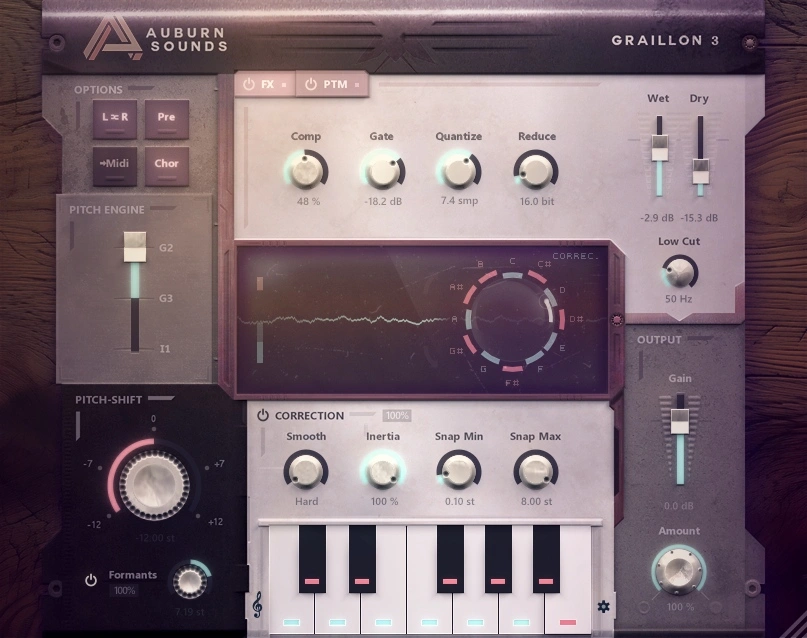
Image Source: Auburn Sounds
Auburn Sounds Graillon 3 delivers professional pitch correction and autotune effects to Audacity without costing you anything. This audacity plugins autotune solution handles both subtle natural correction and hard-tuned robotic effects.
The plugin’s three pitch engines give you flexibility in sound quality and CPU usage. G2 retains the original Graillon 2 algorithm with its classic character. G3 provides faster pitch detection with improved high note recognition. I1 uses Inner Pitch technology for the most natural sound, though it runs seven times slower than the other modes. You choose between speed and quality based on your project needs.
Built-in effects change Graillon 3 into a complete vocal processor. The suite has a FET plus Opto compressor pair, fast gate, vocal preamp, chorus, and bitcrusher. All effects add zero latency and are optimized for vocals.
Formant shifting lets you adjust vocal character from 0 to 100 percent. The Snap Min parameter preserves natural vibrato while correcting pitch.
Graillon 3 Free Edition has all core features. The Full Edition costs $29 (regular price $38.67) and adds pitch-tracking modulation, vocal doubler, and microtuning capabilities. It supports VST2, VST3, and AAX formats across Windows, macOS, and Linux.
TDR Nova: Best Dynamic EQ Plugin
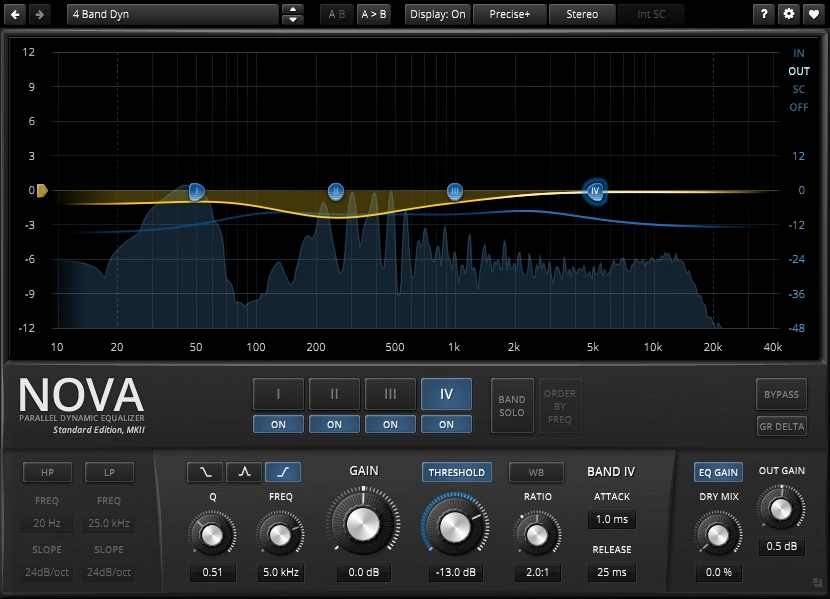
Image Source: Tokyo Dawn Records
Tokyo Dawn Records offers TDR Nova as a completely free parallel dynamic equalizer that performs at professional mastering levels. This plugin transforms from a standard parametric EQ into a surgical dynamic processor. You can target specific frequencies only when they become problematic.
Nova provides four fully parametric EQ bands plus high-pass and low-pass filters with slopes ranging from 6dB/oct to 72dB/oct. Each band operates as either static EQ or dynamic processing that engages when frequencies cross defined thresholds. A built-in spectrum analyzer helps identify problem areas visually.
Dynamic EQ solves problems that static EQ cannot. To cite an instance, harsh cymbals or vocal sibilance appear only during certain moments. Nova compresses those frequencies when they spike while leaving quieter sections untouched. Transparency is maintained while controlling resonances.
Helpful workflow features exist in the interface. Order By Frequency automatically renumbers bands from low to high. EQ Gain compensation matches output to input levels for accurate A/B comparisons. Sidechain support makes frequency-specific ducking possible.
Nova handles parametric equalization, dynamic equalization, frequency selective compression, and multi-band compression. VST2, VST3, AU, and AAX formats are supported.
A paid Gentleman’s Edition adds two extra bands for €60, though most needs are covered by the free version.
MeldaProduction MFreeFXBundle: Best Free Plugin Bundle
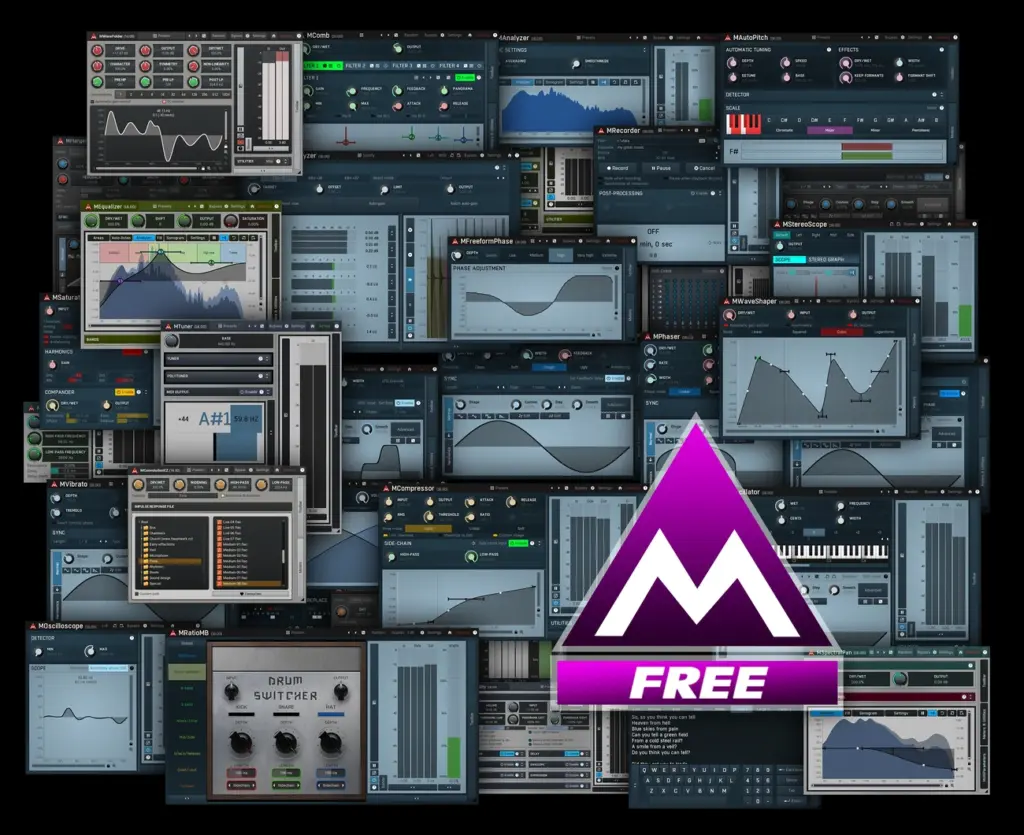
Image Source: MeldaProduction
MeldaProduction’s MFreeFXBundle packages 38 free plugins that cover most audio processing needs in Audacity. The collection has essential tools like MEqualizer, MCompressor, and MAutoPitch, plus specialized processors such as analyzers, stereo expanders, and waveshapers.
The modulation section’s customizable oscillator shapes make it special. Instead of preset sine or triangle waves, these plugins let you draw custom waveforms for autopanning, phasing, tremolo and vibrato effects. Each modulation effect controls harmonic content and adds unique color to otherwise sterile signals.
You get professional results with the stereo processing tools. MStereoExpander handles both sample-based and delay-based widening without phase issues and keeps mono compatibility intact. MSpectralPan carves frequency spectrum placement between left and right channels through visual graph drawing.
The distortion suite rivals paid options. MBitFun manipulates audio bit-by-bit, while MWaveFolder maintains analog warmth. MSaturator gives you 9 tube-modeling modes with harmonic overtones.
MAnalyzer sits on my master bus for frequency visualization. Two reverbs cover synthetic spaces through MCharmVerb and impulse response processing via MConvolutionEZ.
The bundle runs on Windows 10/11 and macOS 10.14+ in VST, VST3, AU, and AAX formats. Upgrading to the professional version costs $49-57 and unlocks modulators, upsampling, preset management, and removes the red reminder box.
Spitfire LABS: Best Free Instrument Plugin
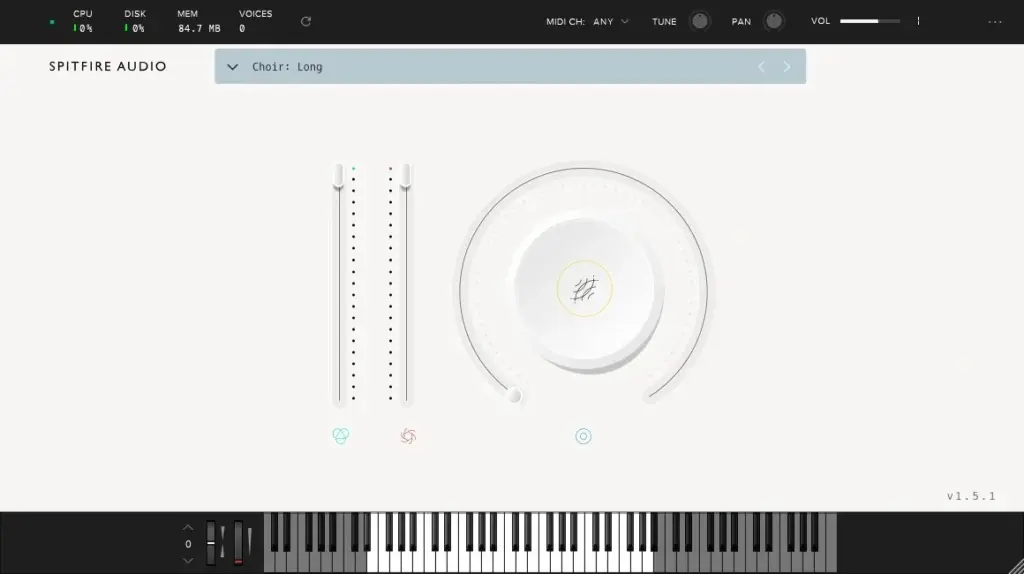
Image Source: Audio Plugins for Free
Spitfire LABS brings sampled instruments to Audacity through a dedicated plugin that launched in 2016. The collection has 65 free sound packs available to everyone, forever. Because users just needed more, Spitfire introduced LABS+ in 2024. This subscription offers 100+ sound packs with monthly additions. The free instruments remain available without any subscription requirement.
The interface strips away complexity with three main controls. Expression and dynamics sliders sit on the left. They crossfade between velocity layers for texture variation. A large circular dial defaults to reverb but reveals additional parameters like attack and release when clicked. Some patches hide ADSR controls behind this dial, though availability varies by instrument.
Sound selection spans characterful acoustic and electric pianos through gnarly synths and atmospheric textures. Each instrument uses recordings from professional musicians and studios. The plugin supports VST and AU formats and makes it compatible with Audacity on platforms of all types.
Limitations surface in the simplified design. You cannot replace built-in effects with external processors without disabling them. Articulation differences sometimes feel subtle and function more like volume adjustments. Coupled with limited modulation options, sound designers seeking deep control may find the sampler restrictive.
LABS+ costs vary, but all original free instruments remain available through the LABS app at no cost.
ReaFir: Noise Reduction Plugin
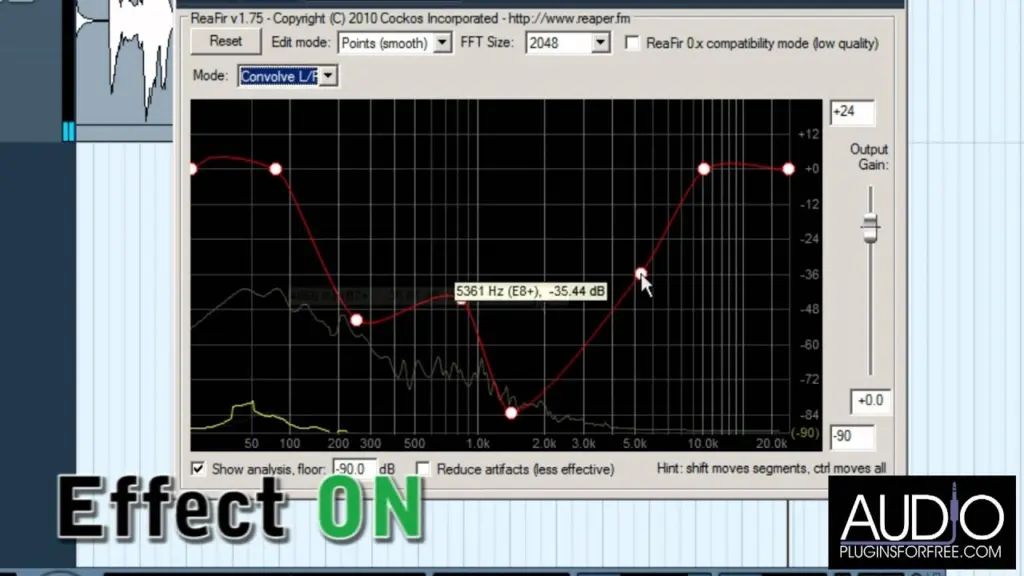
Image Source: Audio Plugins for Free
ReaFIR functions as an FFT-based dynamics processor that comes bundled with Reaper’s free ReaPlugs VST FX Suite. You can download it for free even without owning Reaper. The plugin operates in multiple modes: EQ for linear phase mastering, compressor with per-band threshold control, gate with frequency-specific triggering, and subtract mode for noise removal.
The subtract mode targets steady, homogenous noises like guitar amp hum, computer fans, or air conditioning. Select a few seconds of isolated noise, enable “Automatically build noise profile” in subtract mode, and play the selection to train the algorithm. Then uncheck the box before processing your full track. ReaFIR analyzes the noise fingerprint and subtracts those frequencies throughout your audio.
But the plugin doesn’t deal very well with random or intermittent noises. Users report artifacts that sound metallic or phasey when processing voice recordings. These problems come from sampling non-neutral audio or attempting to remove excessive noise. The FFT processing can sound heavy-handed with smeared high-end compared to dedicated tools.
Use ReaFIR on consistent background noise for best results and adjust the noise profile level if artifacts appear. Supports FFT sizes from 128-32768 samples.
Limiter No6: Professional Limiting Plugin
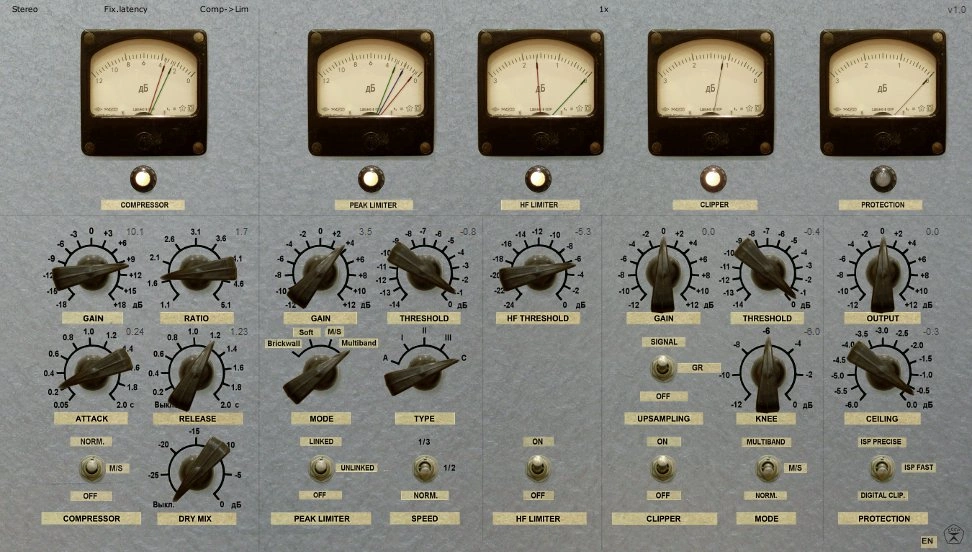
Image Source: Tokyo Dawn Records
Vladg Sound’s Limiter No6 delivers professional mastering capabilities free of charge. It has five discrete modules that work in series: RMS compressor, peak limiter, high-frequency limiter, clipper, and true peak limiter. Each module functions as an independent processor. You can apply small amounts of limiting through multiple stages rather than crushing your audio with a single heavy-handed process.
The modular architecture makes surgical control over dynamics possible. The high-frequency limiter targets sibilance and harsh cymbals without affecting the full spectrum. M/S and multiband modes give frequency-specific and stereo-field limiting. Optional 4x oversampling ensures clean processing. True inter-sample peak limiting prevents clipping when converting to lossy formats.
Users report results that rival paid alternatives. Engineers have compared Limiter No6 against Pro-L and Sonnox with favorable outcomes. They note superior transient preservation and transparency. The analog-style gain reduction meters give visual feedback across all modules.
Two GUI options cater to different workflow priorities. The plugin supports VST2 and AU formats on both 32-bit and 64-bit systems. It’s worth mentioning that this is a legacy product no longer supported actively, though compatibility remains solid on most systems.
PopRemover: Plosive Removal Plugin
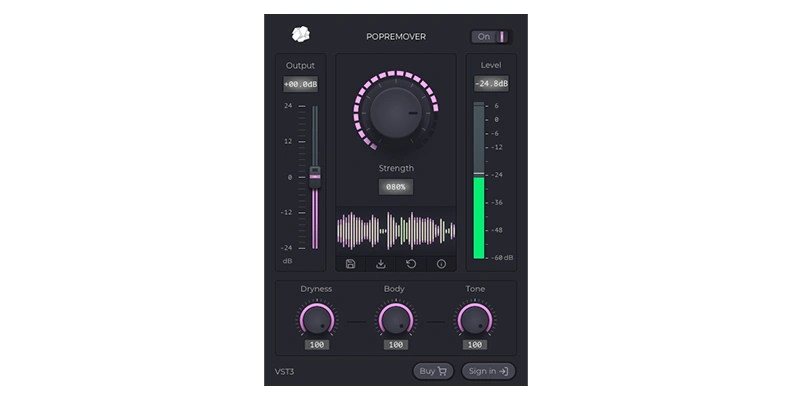
Image Source: Boris FX
Plosive sounds occur when blasts of air hit your microphone during ‘p’ and ‘b’ consonants. They create audio bumps that mimic someone knocking the mic. This remains one of the most common problems in podcast and voiceover recordings. PopRemover by CrumplePop addresses this specific issue through AI-powered automatic detection and removal.
The plugin targets only problematic plosive noise while preserving your voice intact. Manual EQ techniques require selecting individual plosives and applying frequency cuts, but PopRemover processes everything with real-time playback automatically. The interface keeps things simple with minimal controls and eliminates the time-consuming manual editing process.
PopRemover works on Mac and PC platforms as VST3 and AAX formats. This makes it compatible with Audacity and other major audio software. A standalone desktop application is also part of the package.
CrumplePop offers PopRemover through multiple pricing structures. The Starter plan has PopRemover fully licensed at no cost. The Pro bundle costs $23 monthly when billed annually or $599 as a perpetual license and gives you access to the complete CrumplePop suite. Therefore, you can start with the free version to test its effectiveness on your recordings before committing to the paid bundle.
ACX Audiobook Mastering Macro: Production Plugin
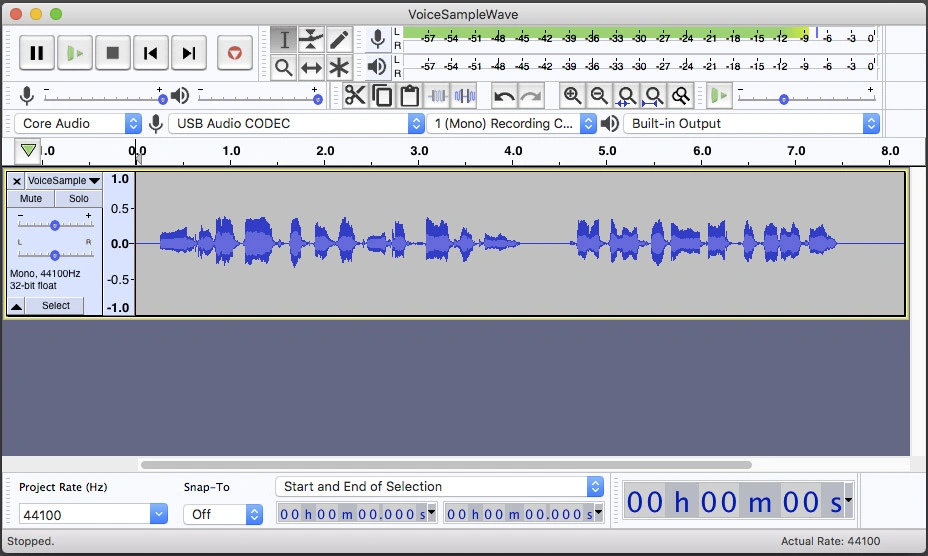
Image Source: Audacity Forum
Audiobook producers targeting ACX Technical Compliance face strict audio specifications that can be tedious to achieve manually. The ACX Audiobook Mastering Macro automates this process through a downloadable suite of Audacity tools. This free macro applies three effects in sequence: Filter Curve EQ with Low roll-off for speech preset, Loudness Normalization set to -20dB RMS, and a Limiter with Soft Limit at -3.50dB.
ACX requires specific technical standards for submitted files. Peaks must stay no louder than -3dB, RMS (performance loudness) between -18dB and -23dB, and noise no louder than -60dB. The macro guarantees the first two standards, while noise performance depends on your recording environment and equipment.
Version compatibility matters here. The original Audiobook-Mastering-Macro.txt fails on Audacity 3.6.0 and later releases because limiter parameters changed. So you should download the updated 36Audiobook-Mastering-Macro.txt instead, which works in both older and current Audacity versions.
Installation takes seconds. Go to Tools > Macros > Import, select the downloaded text file, then close the Macro Manager. Apply it by selecting your audio track and choosing Tools > Apply Macro > Audiobook-Mastering-Macro. Users report consistent results with typical output showing Peak at -3.5, RMS at -20, and Noise Floor between -72 to -75.
Conclusion
Not every plugin on this list will fit your audio production needs, and that’s fine. What works well for podcast editing might not suit music production. Start with the free options like Valhalla Supermassive or MFreeFXBundle to explore what strikes a chord with your workflow. Once you identify which processing types you use most, you can invest in premium tools like Voice Enhance or Ozone Elements to handle those tasks.