Choosing the right podcast editing tools can cut your editing time by two-thirds. One podcaster reduced their average editing time from 15 minutes to 5 minutes per guest track and saved 26 hours annually. The wrong tool, but, adds hours of frustrating work to your production schedule.
We’ve tested the best podcast editing software available in 2026 to help you find the perfect fit for your workflow. Whether you need ai podcast editing software, professional podcast audio editing capabilities, or all-in-one podcast tools, this piece covers five top solutions with pricing and features.
Descript: AI-Powered Text-Based Podcast Editing Software
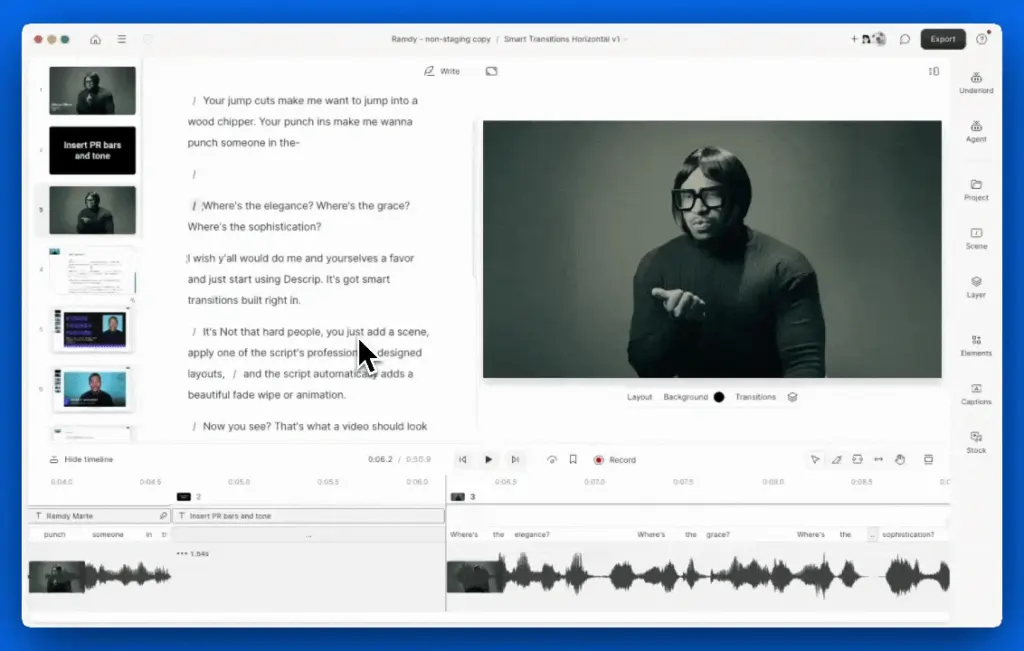
Image Source: Descript Help
Descript approaches podcast audio editing differently than traditional software. You edit your audio by modifying a transcript rather than manipulating waveforms, analogous to working in a word processor. Delete a sentence from the text and Descript removes it from your audio file.
Key Features & Pricing
The Overdub feature stands out among Descript’s capabilities. You can train an AI voice clone of yourself and correct mistakes by typing new words rather than re-recording. This especially benefits creators who need quick fixes or those who cannot verbalize but still want to produce podcasts.
Filler word removal operates at all price tiers and eliminates “um” and “uh.” At the Pro level, Descript identifies and removes up to 18 filler or repeated words. Studio Sound applies AI audio cleanup to make recordings from hotel rooms or home offices sound professional.
Underlord, Descript’s AI assistant, generates episode titles and show notes, creates social clips, and translates content into 20+ languages. The platform supports automatic transcription in over 23 languages and has Descript Rooms for remote recording with 4K video quality.
Here’s the current pricing structure for annual plans:
| Plan | Price/Month | Transcription Hours | Key Features |
|---|---|---|---|
| Free | USD 0.00 | 1 hour | 720p export, 1000-word Overdub vocabulary, simple filler word removal |
| Hobbyist | USD 16.00 | 10 hours | 1080p export, full AI tools, Studio Sound |
| Creator | USD 24.00 | 30 hours | 4K export, stock media library, advanced AI features |
| Business | USD 50.00 | 40 hours | Team collaboration, priority support, brand controls |
Transcription accuracy can be improved for an additional USD 2.00 per minute.
Pros and Cons
Pros:
- Text-based audio editing saves hours compared to traditional timeline editing
- Overdub creates nearly undetectable voice corrections for minor mistakes
- Studio Sound removes echo and background noise
- Non-destructive editing preserves original audio for reverting changes
- Templates automate repetitive video formatting tasks
Cons:
- Performance lags on projects with multiple tracks, even on fast machines
- Not built for professional video editors accustomed to Final Cut or Premiere responsiveness
- The interface isn’t user-friendly for certain features like Eye Contact correction
- AI transcription doesn’t deal very well with background noise and proper nouns
- Moving projects to traditional DAWs is difficult
Best For
Doctors, lawyers, journalists, or professionals needing dialog recorded and transcribed quickly benefit most from Descript. Solo podcasters and interview show hosts find the transcript-based workflow valuable for cutting awkward pauses and tightening dialog. Content creators who repurpose podcast episodes into social media clips appreciate the automated clip creation tools.
Adobe Audition: Professional-Grade Podcast Audio Editing
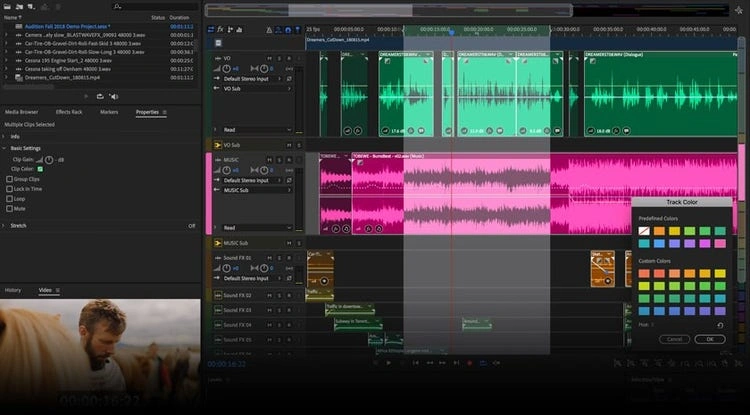
Image Source: Adobe
Adobe Audition serves as a professional audio workstation built for podcasters who need precision editing capabilities beyond simple tools. This digital audio workstation has multitrack, waveform, and spectral display modes for creating and restoring audio content.
Key Features & Pricing
Recording flexibility reaches up to 32 simultaneous audio inputs as separate tracks. This allows independent editing and mixing in post-production. The platform supports unlimited tracks in theory, though it handles 128 tracks in practice.
The Essential Sound panel simplifies professional audio production by assigning mix types to clips. Designate a clip as dialog and the panel presents parameter groups for unifying recordings to common loudness, reducing background noise, and applying compression and EQ. For podcasts consumed on mobile devices, target loudness settings between -20 LUFS and -16 LUFS work well.
Spectral analysis converts audio into a visual frequency map. This enables surgical removal of isolated noises like coughs or electrical hum without affecting surrounding audio. The Strip Silence feature removes silence from inactive regions in recorded clips without losing sync.
Audio repair tools include DeReverb for reducing reverberation and DeNoise for removing hiss and hum. Over 50 effects and analysis tools provide complete control over audio mixing. The software bundles several thousand royalty-free loops and over 10,000 sound effects.
| Plan | Monthly Cost | Annual Cost |
|---|---|---|
| Monthly Plan | USD 34.99 | – |
| Annual (Paid Monthly) | USD 22.99 | USD 275.88 |
| Annual (Prepaid) | – | USD 263.88 |
| Creative Cloud All Apps | USD 89.99 | – |
Pros and Cons
Pros:
- Tight integration with Adobe Premiere Pro for video podcasters
- Regular performance updates and cloud support
- Up-to-the-minute monitoring for voice effects and audio adjustments
- Professional spectral editing and noise reduction capabilities
Cons:
- Expensive compared to one-time purchase alternatives
- Steep learning curve with interface that’s not intuitive for beginners
- Requires 8GB disk space, 16GB memory, and Intel 6th Gen processor minimum
- No MIDI support or virtual instrument libraries
- Losing access to projects if subscription lapses
Best For
Podcasters already subscribed to Adobe Creative Cloud find Audition available within their existing package. Video podcasters benefit from the tight Premiere Pro integration. Professionals requiring advanced spectral editing and multi-track recording capabilities get the precision tools they need.
Riverside: All-in-One Remote Recording and Editing
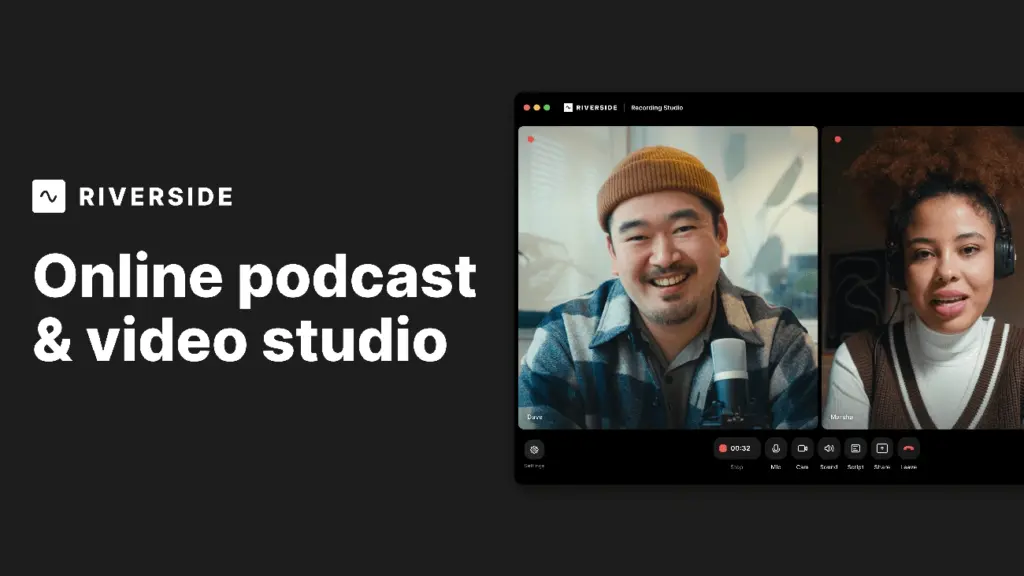
Image Source: Riverside
Riverside handles the entire podcast production workflow from recording to distribution within a single platform. The software records on each participant’s device locally and then uploads files to the cloud. This ensures high-quality output whatever the internet stability.
Key Features & Pricing
Local recording captures up to 4K video and uncompressed audio as separate tracks. This approach prevents quality loss from internet fluctuations, a common problem with cloud-based recording tools. You can record up to 10 participants at once. Each person’s audio and video gets saved as individual files to control post-production better.
The text-based editor works like Descript and allows you to cut audio by deleting words from the transcript. AI tools include Magic Clips to create vertical social media content with captions and Magic Audio to remove noise. An AI Co-Creator generates promotional assets for different platforms. Transcription works in 100+ languages with 99% accuracy.
Live streaming functionality broadcasts in full HD to multiple destinations at once while maintaining separate high-quality recordings. The platform added podcast hosting and distribution recently, creating a complete end-to-end solution.
| Plan | Monthly Price | Recording Hours | Video Quality | Key Features |
|---|---|---|---|---|
| Free | USD 0.00 | 2 hours multi-track | 720p | Watermarked, basic tools |
| Pro | USD 24.00 | 15 hours multi-track | 4K | No watermark, unlimited transcription |
| Live | USD 34.00 | 15 hours multi-track | 1080p streaming | Multi-destination streaming |
| Business | Custom | Unlimited | 4K | Team collaboration, producer mode |
Pros and Cons
Pros:
- Reliable local recording prevents file loss even during internet dropouts
- Guest invitation requires only sharing a link and no software installation
- Integrated editor reduces time from recording to publishable content
- Automatic cloud backup stores all session recordings
Cons:
- Works best with Chrome browser and causes occasional guest access issues
- AI features require human oversight to control quality
- Some users report inconsistent reliability with video production
- Free plan’s 720p limit is insufficient for professional YouTube content
Best For
Interview-based podcasters benefit from isolated tracks and transcript editing capabilities. Video producers creating talk shows or long-form content save time with automated asset generation. Online coaches and educators use the hybrid recording and live streaming features for course content. Teams managing multiple productions appreciate the collaborative workflows in Business tier plans.
Hindenburg: Purpose-Built for Narrative Podcasters
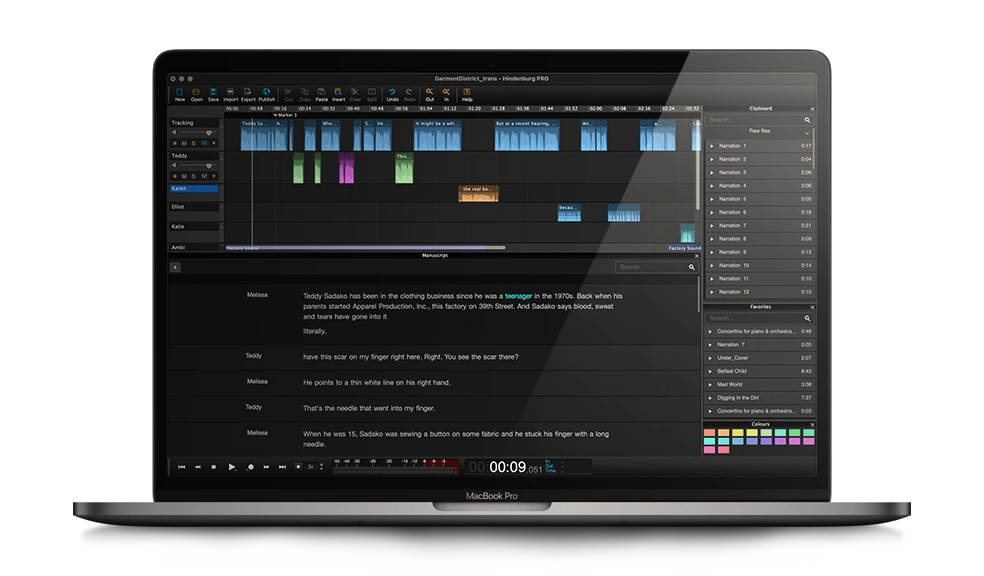
Image Source: hindenburg.com
Most audio editing software adapts music production tools for podcasters. Hindenburg took a different path and was built specifically for radio journalism and spoken-word content. This specialization shows in every workflow decision, from automatic audio leveling to story-based organizational features.
Key Features & Pricing
The automatic leveler handles the biggest technical challenge in podcast production. It adjusts volume between different speakers and recording conditions as you import audio. One podcaster noted this feature saves substantial editing time on long-form projects. Voice Profiler creates custom EQ settings based on each speaker’s characteristics.
Hindenburg V2 introduces transcript-based editing. You can modify audio by deleting words from generated transcripts. The software embeds transcripts into audio regions and gives you visual cues while cutting. Clipboard groups store clips you use often for quick access within projects. Favorites persist in every session.
Direct publishing integrates with Libsyn, Spreaker and Podbean. The platform exports to MP3, WAV and AAC, with FLAC and OPUS available in Pro versions.
| License Type | Monthly Cost | Annual Cost | One-Time Purchase |
|---|---|---|---|
| Personal Standard | USD 12.00 | USD 99.00 | – |
| Personal Plus | USD 15.00 | – | – |
| Journalist | – | – | USD 95.00 |
| Pro | – | – | USD 375.00 |
| Business Bronze | USD 20.00 | – | – |
Transcription hours cost extra in every plan.
Pros and Cons
Pros:
- Interface designed around stories rather than musical tracks
- Simple controls reduce learning curve compared to music-oriented DAWs
- Auto-leveling produces studio-quality sound from noisy setups
- One-time purchase option avoids subscription fatigue
Cons:
- Confusing pricing tiers split features between multiple products
- Normalization available in Pro version only
- Remote recording requires separate iPhone app purchase
- Cannot share licenses between users or install on more than two computers
Best For
Journalists, documentary podcasters and narrative storytellers appreciate the dialog-first workflow. Radio producers transitioning to podcast work find the interface familiar. Creators frustrated by music-focused DAWs benefit from the spoken-word approach.
Auphonic: Automated Audio Post-Production
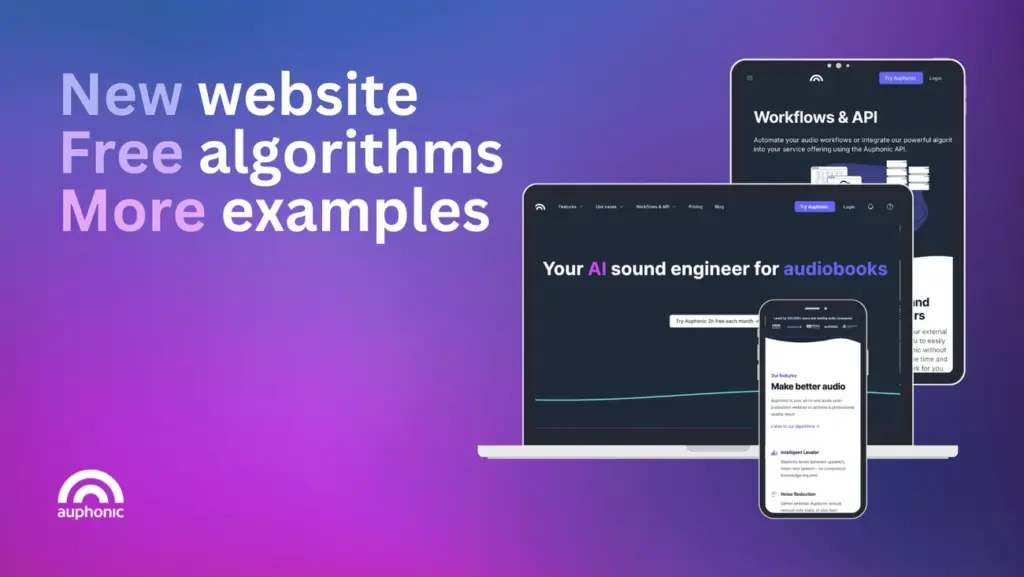
Image Source: Auphonic
Auphonic works as an automated finishing tool rather than a hands-on editor. Upload your recorded podcast, select your priorities, and the algorithms handle loudness balancing, noise removal, and file preparation.
Key Features & Pricing
The platform analyzes audio and applies loudness normalization to hit specific targets like -16 LUFS for podcasts, -14 LUFS for Spotify, or -18 to -23 dB RMS for Audible audiobooks. Processing takes about 5% of your audio length. A one-hour episode processes in three minutes.
Four noise reduction methods address different scenarios: Static Denoiser removes reverb and technical noise, Dynamic Denoiser eliminates everything except voice and music, Speech Isolation keeps only speech, and Classic Denoiser works when silent segments exist for noise profiling. The Adaptive Leveler balances volume between speakers and music segments.
| Plan | Monthly Price | Audio Hours | Notes |
|---|---|---|---|
| Free | USD 0.00 | 2 hours | Has jingle |
| Auphonic S | <citation index=”2″ link=”https://auphonic.com/pricing” similar_text=”### One-Time Credits One-Time Credits USD 12.00 5102550100More than 100 hours 5 h | USD 2.40 per hour | USD 12.00 — |
| Auphonic M | <citation index=”2″ link=”https://auphonic.com/pricing” similar_text=”### One-Time Credits One-Time Credits USD 12.00 5102550100More than 100 hours 5 h | USD 2.40 per hour | USD 12.00 — |
| One-Time Credits | <citation index=”2″ link=”https://auphonic.com/pricing” similar_text=”### One-Time Credits One-Time Credits USD 12.00 5102550100More than 100 hours 5 h | USD 2.40 per hour | USD 12.00 — |
Pros and Cons
Pros:
- Repetitive mastering tasks get automated and save time
- Platform specifications are met without manual adjustments
- Dropbox, YouTube, Libsyn and others integrate with the system
- Multitrack processing available
Cons:
- Not an editor for cutting or arranging content
- Algorithm cannot catch all audio problems
- Free tier limited to 2 hours monthly
- Results require human review for quality
Best For
Podcasters needing consistent loudness across episodes benefit from automated normalization. Creators publishing to multiple platforms save time meeting different specifications. Those wanting simple cleanup without learning complex software find the one-click approach practical.
Comparison Table
| Tool | Primary Use Case | Key Differentiator | Starting Price | Free Plan | AI Features | Best For | Main Limitation |
|---|---|---|---|---|---|---|---|
| Descript | Text-based podcast editing | Edit audio by modifying transcripts like a word processor | $0/month (Free plan) | Yes (1 hour transcription, 720p export) | Overdub (AI voice cloning), Studio Sound, Underlord AI assistant, filler word removal (up to 18 words), auto transcription in 23+ languages | Solo podcasters, interview hosts, professionals who need quick transcription (doctors, lawyers, journalists) | Performance lags on multi-track projects; AI transcription doesn’t deal very well with background noise and proper nouns |
| Adobe Audition | Professional-grade audio editing | Professional multitrack DAW with spectral editing capabilities | $22.99/month (Annual paid monthly) | No | Essential Sound panel with automatic dialog mixing, DeNoise, DeReverb, Sound Remover | Video podcasters using Adobe Creative Cloud, professionals who need advanced spectral editing and multi-track recording | Steep learning curve, expensive subscription model, no access to projects if subscription lapses |
| Riverside | All-in-one remote recording and editing | Local recording on each device ensures quality whatever the internet stability | $0/month (Free plan) | Yes (2 hours multi-track, 720p) | Magic Clips for social content, Magic Audio for noise removal, AI Co-Creator for promotional assets, 99% accurate transcription in 100+ languages | Interview-based podcasters, video producers, online coaches, teams managing multiple productions | Works best with Chrome browser, AI features need human oversight, free plan limited to 720p |
| Hindenburg | Narrative and radio journalism podcasting | Built specifically for spoken-word content rather than adapted from music production | $12/month or $95 one-time (Journalist) | No | Voice Profiler (custom EQ), automatic leveler, transcript-based editing (V2) | Journalists, documentary podcasters, narrative storytellers, radio producers transitioning to podcasts | Confusing pricing tiers, normalization only in Pro version, cannot share licenses between users |
| Auphonic | Automated audio post-production | Fully automated mastering and finishing without manual editing | $0/month (Free plan) | Yes (2 hours/month with jingle) | Adaptive Leveler, four noise reduction methods (Static, Dynamic, Speech Isolation, Classic), automatic loudness normalization to platform specs | Podcasters who need consistent loudness, creators publishing to multiple platforms, those who want cleanup without learning complex software | Not an editor for cutting/arranging content, algorithm cannot catch all problems, limited to 2 hours monthly on free tier |
Conclusion
Choosing the right podcast editing tool depends on your specific workflow and production style. As I have shown, Descript excels for transcript-based editing, Adobe Audition serves professional audio engineers, Riverside handles remote recording naturally, Hindenburg caters to narrative storytellers, and Auphonic automates post-production finishing.
You don’t need the most expensive or feature-rich option to create quality podcasts. Focus on which tool fits your content type and technical comfort level instead.
Start with free trials to test each platform’s workflow. Once you find software that feels easy to use and saves you time, you’ll spend less energy fighting your tools. More time goes into creating compelling content your audience loves.